
Part 1 | Different Screens, Same Familiar Feel ToRetro

Phone today, PC tomorrow, and a Switch or motion game with the family on the weekend—players change screens constantly, but they should not have to relearn their controls every time.

The L06 supports Android, iOS, PC, Xbox-style input, and compatible Switch 1, Switch 2, and motion-gaming environments. Dual sticks, a directional pad, multifunction buttons, and a phone holder let familiar controls travel with you.
📱 Mobile: turn your phone into a handheld-style setup.
💻 PC: connect wirelessly or by cable to compatible computers.
📺 Switch and motion play: move from solo sessions to parties and family entertainment.

Your phone supplies the screen, performance, and content. The L06 adds physical feedback and a comfortable grip. It also includes a rechargeable 350mAh battery and comes in classic black or minimalist white.
“Xbox mode” describes an input method, not official Xbox licensing. Refer to the manual and actual testing for connection methods and Switch compatibility.
The Controller Can Follow You—but Can the Library? 👾
Cross-platform hardware is only half the story if the games remain locked to one memory card.
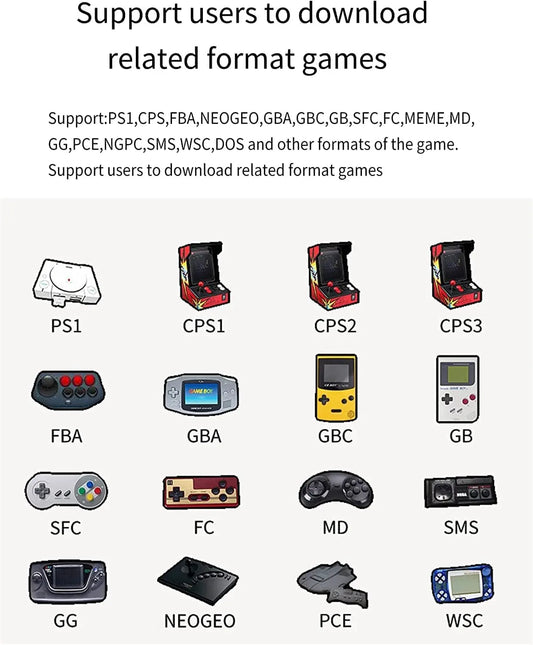
The L06 companion app offers more than 100,000 unique games, over 1,800GB of content, and as many as 17 console formats. You do not need to download everything; your phone helps you choose and manage what you actually want.
👉 Continue to Part 2 to see why this approach can be more flexible than a fixed preloaded memory card.

🎁 Giveaway Entry
Five L06 controllers will be given away across this blog series. This comment section is one of the entry points.
Answer this question:
Would you connect the L06 to Android/iOS, PC, Switch, or motion gaming first—and what type of game would you play?